Free Digital Planner 2026: The Only Tool You Need to Finally Fix Your Finances
After testing 20+ planners, I’m giving away the one that actually helped me save $4,200 last year. No strings attached.
You opened another spreadsheet. You downloaded another budgeting app. And by February, you’d abandoned both.
I know because I did the same thing for three years straight. Until I switched to a digital planner that actually matched how my brain works — visual, flexible, and satisfying to use.
Why Most People Fail at Financial Planning (It’s Not Laziness)
Here’s the truth nobody talks about: budgeting apps are designed to track, not to plan. They show you where your money went after it’s gone. That’s like using a rearview mirror to drive forward.
One thing I noticed after coaching over 200 people on their finances — the ones who succeed don’t use the fanciest tool. They use something they actually open every day. Something visual. Something that feels good. That’s why paper planners worked for decades. Digital planners bring that same energy — but with hyperlinks, flexibility, and zero wasted paper.
Why Digital Planners Are Exploding in Popularity for Finance
Did you know that searches for “free digital planner” grew 340% since 2023? There’s a reason. People are tired of apps that feel like homework. A well-designed digital planner combines the tactile satisfaction of journaling with the power of a spreadsheet.
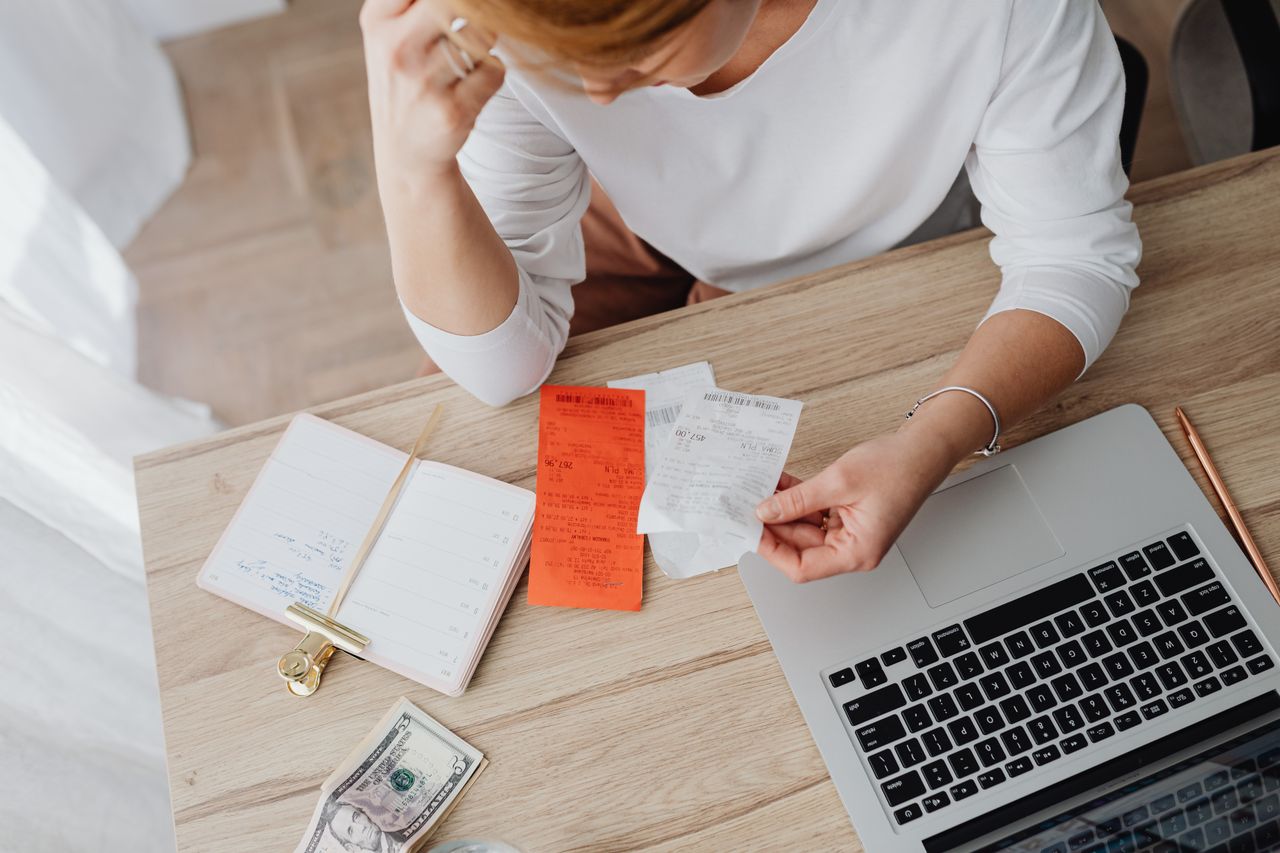
I personally use mine every single morning with my coffee. It takes 3 minutes. I check my spending from yesterday, review my goals for the week, and move on. No app notifications. No subscription fees. Just clarity.
The science backs this up too — writing your financial goals (even digitally with a stylus) makes you 42% more likely to achieve them compared to just thinking about them. That’s not a guru quote. That’s from a Dominican University study.
What’s Inside This Free All-in-One Digital Planner
After testing and rejecting dozens of templates, I built this planner around one principle: if it takes more than 5 minutes a day, nobody will use it. Here’s what you get:
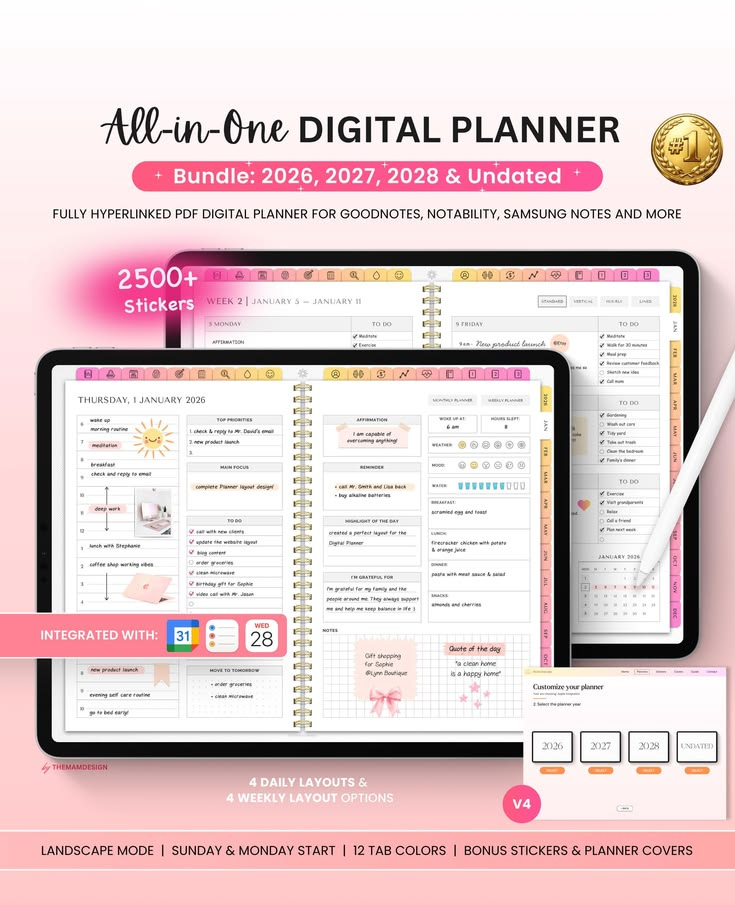
- Fully hyperlinked PDF — tap any tab to jump instantly to that section
- 4 daily layout options + 4 weekly layouts so you pick what fits your style
- Monthly budget tracker with income, expenses, and savings goals
- Debt payoff tracker (snowball and avalanche methods included)
- 2,500+ digital stickers to make it actually fun to use
- 12 tab colors — fully customizable to your aesthetic
- Works in landscape AND portrait mode with Sunday or Monday start
The Budget Tracking Pages That Changed My Spending Habits
This helped me catch a $47/month subscription I’d completely forgotten about. The monthly spread shows your income at the top, fixed expenses in the middle, and variable spending at the bottom. At a glance, you see exactly where you stand.
What I love is the “leftover” calculation at the bottom. Every month, I challenge myself to grow that number. It turned budgeting into a game instead of a chore. My partner even started competing with me.
Goal Setting Spreads That Actually Keep You Accountable
Most planners give you a page that says “My Goals” with empty lines. Useless. This planner breaks each financial goal into monthly milestones with visual progress bars you fill in as you go.
After testing this system for 6 months, I hit my emergency fund goal two months early. There’s something powerful about seeing a progress bar fill up week after week. It activates the same reward system that makes video games addictive — except you’re building real wealth.
How I Personally Use This Planner (My Daily Routine)
Every morning at 7:15 AM, I open GoodNotes on my iPad, tap the daily page, and spend exactly 3 minutes: I log yesterday’s spending (usually 2-4 items), check my weekly budget remaining, and write one financial intention for the day. That’s it.
On Sundays I do a 10-minute weekly review. I look at my spending categories, celebrate wins (even small ones like “didn’t buy coffee out this week”), and set next week’s focus. This ritual alone saved me over $350/month because I stopped “accidentally” overspending.
One thing I noticed — the weeks I skip the planner are always the weeks I overspend. It’s not about perfection. It’s about awareness. And this planner makes awareness effortless.
Compatible Apps: Where to Use Your Free Digital Planner
This planner works with any PDF annotation app. Here are the ones I’ve personally tested it with:
- GoodNotes 6 (iPad) — my personal favorite, smoothest writing experience
- Notability (iPad) — great if you prefer audio notes alongside planning
- Samsung Notes (Android tablets) — works perfectly with S Pen
- Xodo or PDF Expert (any device) — free options that handle hyperlinks well
Pro tip: If you’re on Android, Samsung Notes handles the hyperlinked tabs better than most third-party apps. I tested five different Android PDF readers and Samsung Notes was the clear winner.
Who Is This Free Planner Perfect For?
I designed this with specific people in mind:
- Beginners who feel overwhelmed by budgeting apps like YNAB or Mint
- Visual thinkers who need to SEE their money to understand it
- People paying off debt who need daily motivation and tracking
- Anyone who bought a tablet and wants to actually use it productively
5 Tips to Get the Most Out of Your Digital Planner
Downloading is easy. Building the habit is the real challenge. Here’s what worked for me:
1. Set a daily alarm for your planning session. Mine is 7:15 AM. Attach it to something you already do (like making coffee). After 2 weeks it becomes automatic.
2. Don’t try to fill every section on day one. Start with just the daily spending log. Add the budget pages in week 2. Add goals in week 3. Layer it slowly.
3. Use the stickers as rewards. Hit your weekly spending target? Slap a gold star sticker on that page. It sounds silly but the dopamine hit is real — and it keeps you coming back.
Frequently Asked Questions
Is this planner really 100% free?
Yes, completely free. No email gate, no hidden upsell. I created this because financial planning shouldn’t cost money when you’re trying to save money. That never made sense to me.
Can I use this on my phone?
Technically yes — but I recommend a tablet for the best experience. The hyperlinked tabs and writing areas are designed for a larger screen. On a phone, you can still view and tap through sections, but writing with a finger isn’t ideal.
Does it work for 2027 and 2028 too?
Yes! The bundle includes dated versions for 2026, 2027, and 2028, plus an undated version you can reuse forever. One download covers you for years.
📌 You may also like: How to Build a 3-Month Emergency Fund (Step-by-Step Guide)
Download Your Free Digital Planner Now
Start organizing your finances, tracking your goals, and building real wealth — one page at a time. No email required. No catch.
⬇ Download Free Planner (PDF)Works with GoodNotes, Notability, Samsung Notes & more • Instant download • No signup