
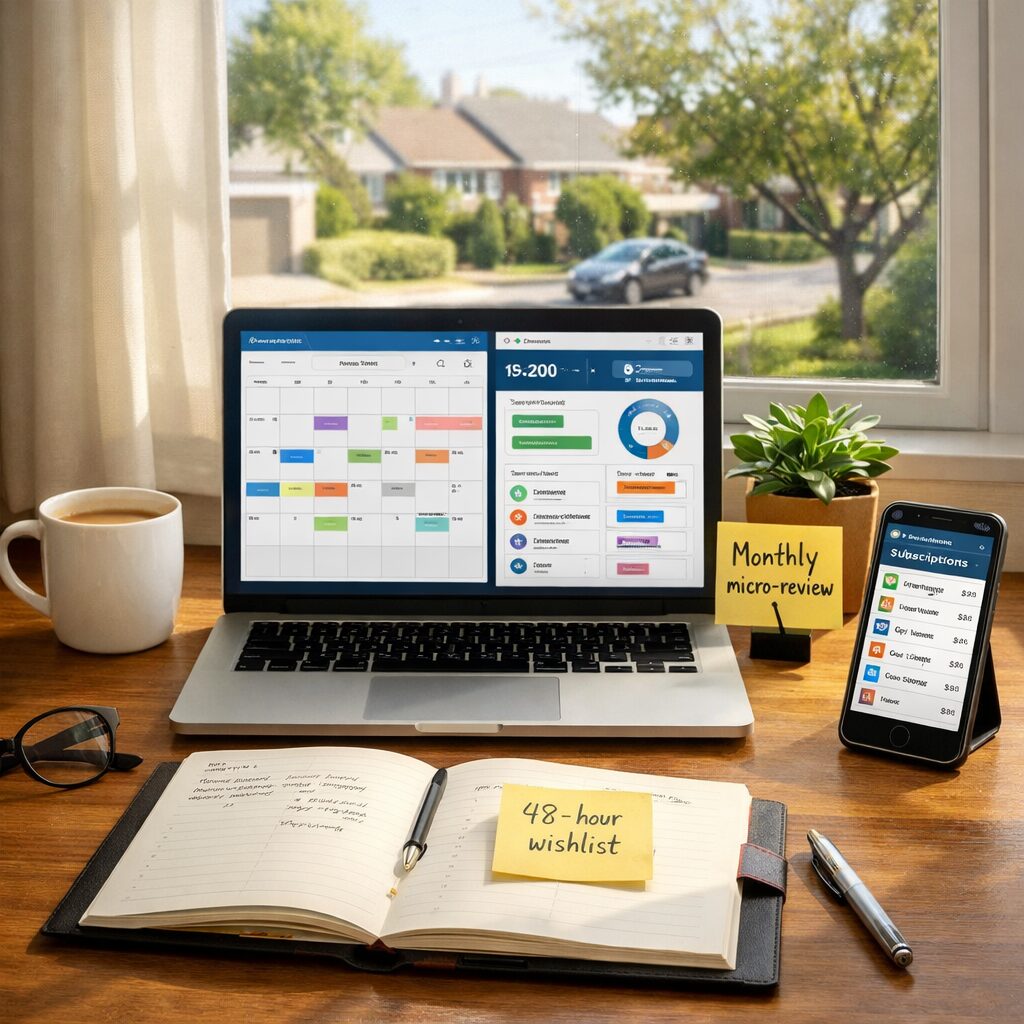
Money as a Workflow: Why saving must fit your day
Savings no longer belong to the dusty realm of year-end budgets and stern spreadsheets. In a modern lifestyle they must be woven into the same workflows we use to manage time, health and creativity. Treating saving as a repeatable process — with triggers, micro-tasks and feedback loops — turns an abstract goal into daily habit. This section sets the mindset: think systems, not sacrifice.
When saving is a workflow component it benefits from the same design principles you apply to work: automation, clear triggers, friction reduction and a review cadence. The result is less willpower, more design. This reframing lets saving coexist with commuting, hybrid work, side projects and family rhythms rather than compete with them.
Ten smart moves reframed as workflow touchpoints
Below are ten practical saving tactics recast as touchpoints within a week-to-week lifestyle workflow. Each tactic includes an actionable trigger, a minimal task you can complete in under five minutes, and where it sits in a modern routine.
1) Automate your baseline: Trigger — first payday. Task — set up 10–20% auto-transfer to a separate savings account. Place it in payroll or bill-pay responsibilities so it’s invisible.
2) Micro-subs check: Trigger — monthly calendar reminder. Task — scan subscriptions app or bank feed for services unused in 30 days and pause or cancel. Make it part of your monthly planning ritual.
3) Price-check as you plan: Trigger — weekly meal planning or online shopping browser session. Task — use one price comparison extension or quick discount search before checkout; add discovered savings to a running “wins” note for motivation.
4) The 48-hour delay on impulse buys: Trigger — shopping cart abandonment. Task — move non-essentials to a wishlist or set a 48-hour reminder. This friction aligns with cognitive cooling-off periods in productivity systems.
5) Energy micro-optimisations: Trigger — change of season or monthly energy bill arrival. Task — swap one high-consumption habit (like preheating oven) with a lower-cost alternative and track consumption via smart-meter apps.
6) Credit card choreography: Trigger — end of statement cycle. Task — consolidate points, transfer balances, or schedule payoff to avoid interest. Integrate this into bill-pay session so it’s part of routine financial housekeeping.
7) Social spending boundary: Trigger — calendar invite for social events. Task — set a personal spending cap and propose lower-cost alternatives (BYO, potluck) as default options; treat it as a negotiation protocol rather than deprivation.
8) Maintenance-first mindset: Trigger — household checklist or app reminder. Task — small fixes (seal drafts, tighten fittings) that prevent large replacements later. Add to monthly home-care workflow.
9) Skills-for-savings: Trigger — weekend or evening planning. Task — allocate one hour per week to learn a cost-saving skill (basic DIY, cooking tech, tax tips) and log outcomes in a learning tracker.
10) The monthly micro-review: Trigger — end-of-month calendar event. Task — 10-minute review of savings vs targets, adjust automations and celebrate one small win. This closes the loop and keeps momentum.
Where these moves sit in a modern calendar and app stack
Think of your calendar, note app and finance app as a single productivity triple-play. The calendar provides triggers, the note app holds quick decisions and the finance app executes. For example, schedule the subscription sweep as a recurring calendar item; when it fires, open your notes that list subscriptions and a link to the bank feed or official guidance. That small structure reduces cognitive load and turns decisions into rituals.
Use labels, automations and templates. A template for the 48-hour cooling-off entry, a recurring checklist for home maintenance and an automation to transfer the payday percentage are all simple integrations that let saving run quietly in the background of a busy life.
Psychology: design for attention scarcity, not willpower
Modern lifestyles are attention scarce. The most sustainable money strategies remove choices at the moment of temptation. Each of the ten moves above does this: automation removes choice, checklists reduce search costs, and calendar triggers reframe decisions as part of your plan.
Small rewards matter. Logging micro-wins in your notes or habit tracker triggers dopamine and reinforces the behaviour loop. Likewise, visual feedback — a growing separate savings balance, a diminishing subscription list — creates momentum. Design these feedback cues into your workflow: a monthly chart in your notes app or a pinned message with the latest savings total.
Social and boundary design for shared lives
Saving in a modern lifestyle often involves others — partners, flatmates, colleagues. Treat financial boundaries like collaboration norms. Establish default assumptions in shared calendars (e.g. cost range for team lunches), keep transparent lists of joint subscriptions and use shared folders to track household maintenance tasks.
This reduces conflict and turns saving into a team sport. Small rituals, such as a quarterly ‘household sync’—a short meeting to review bills and maintenance—embed financial decisions into existing social workflows without moralising choices.
Automation, hacks and the ethics of convenience
Automation is powerful but must be audited. Schedule a quarterly fast audit — a short session where you check automations for redundancy or outdated payees. Convenience can lead to creep: a once-valuable subscription may linger. Ethical automation also means setting guardrails: alerts for unusual transactions and rules that pause transfers if buffer accounts drop below a threshold.
Combine automation with intentional pauses. For example, keep one discretionary pot that you can top up manually from savings transfers to allow for spontaneity without derailing the system.
Measuring what matters: metrics that fit daily life
Forget obscure ratios. Track three signals that fit into your workflow: your automated savings rate (percentage of income auto-saved), monthly subscription churn (number cancelled vs added) and cashflow health (days of buffer). These are simple to update during your monthly micro-review and translate into clear actions: increase automation percentage, prune subscriptions or pause discretionary spending.
Use simple visuals in your notes app — a sparkline or bullet progress — so checks take under a minute and remain motivating.
Case study: a week in the life of a hybrid worker
Monday: Payroll arrives — automation moves 12% to a savings pot without you noticing. Tuesday: A calendar ping reminds you to scan subscriptions; you cancel one streaming service. Thursday: You cook from a weekly meal plan and use a price-checking extension, saving £8 compared with takeout. Saturday: A 48-hour wishlist reminder cancels an impulsive purchase. Sunday: Ten-minute micro-review logs the week’s £20 saved and adjusts the next week’s grocery list.
Small, consistent actions integrated into existing habits compound. This is the practical rhythm the workflow approach creates — it’s low drama, high consistency.
Start tomorrow: a simple onboarding checklist
1) Add a recurring ‘monthly micro-review’ event to your calendar. 2) Set up one automation: an income-triggered transfer to a savings account. 3) Create a one-page note titled ‘Subscription sweep’ and list current services. 4) Place a 48-hour wishlist template in your browser bookmarks.
Start with these four micro-tasks and treat the rest as incremental improvements. The goal is to make saving an integrated, low-friction part of your modern workflow.
Closing: money as designed behaviour, not moral test
When saving is framed as workflow design, it becomes an expression of lifestyle architecture rather than austerity. The ten smart moves here are playbooks you slot into existing routines: calendar cues, automations, tiny maintenance tasks and social agreements. That design-first approach respects busy lives and produces durable financial outcomes through better systems, not better people.
Make the first small change tonight: schedule the micro-review. Everything else follows from designing the day-to-day around the life you want to afford.
![Como viver com menos do que você ganha [sem se sentir miserável]](https://productivepathblog.com/wp-content/uploads/2026/05/How-to-Live-Frugally-PTqOcG-559x1024.jpg)
